
Build the Command Block Minecart pixel art in Minecraft with our 16x16 grid template, complete material list of 159 blocks, and downloadable schematic.
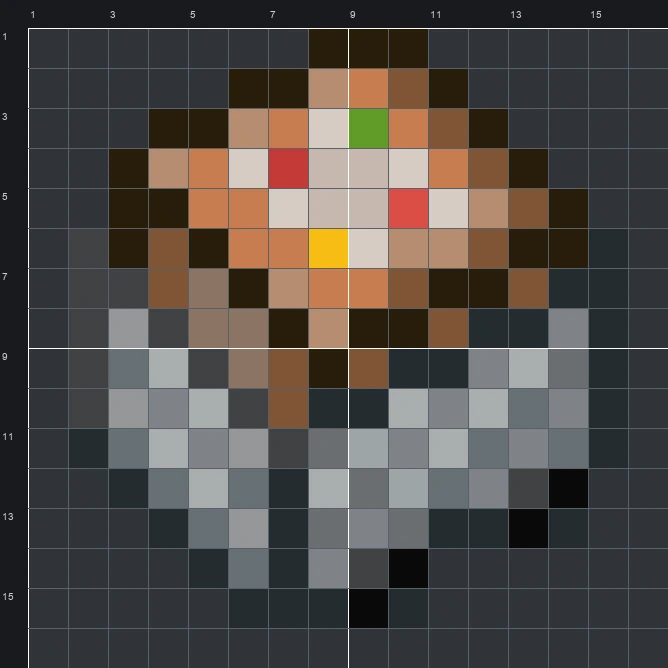
The schematic works with WorldEdit and Litematica on Java 1.21 and newer, built upright and one block thick. The grid image has numbered rows and columns for building by hand.
159 blocks · 16 block types
 Gray Concrete27
 Black Terracotta25
 Smooth Stone15
 Tuff15
 Brown Wool13
 Gray Wool12
 Copper Block11
 Cobblestone11
 Exposed Copper8
 Iron Block6
 Diorite4
 Light Gray Terracotta4
 Black Concrete4
 Red Wool2
 Lime Concrete1
 Yellow Wool1
159 blocks · 8 block types
 Light Gray Wool57
 Black Wool56Brown Wool24Gray Wool12
 White Wool6Red Wool2
 Lime Wool1Yellow Wool1
159 blocks · 8 block types
 Light Gray Concrete44Gray Concrete39Black Concrete29
 Brown Concrete24
 White Concrete19
 Red Concrete2Lime Concrete1
 Yellow Concrete1
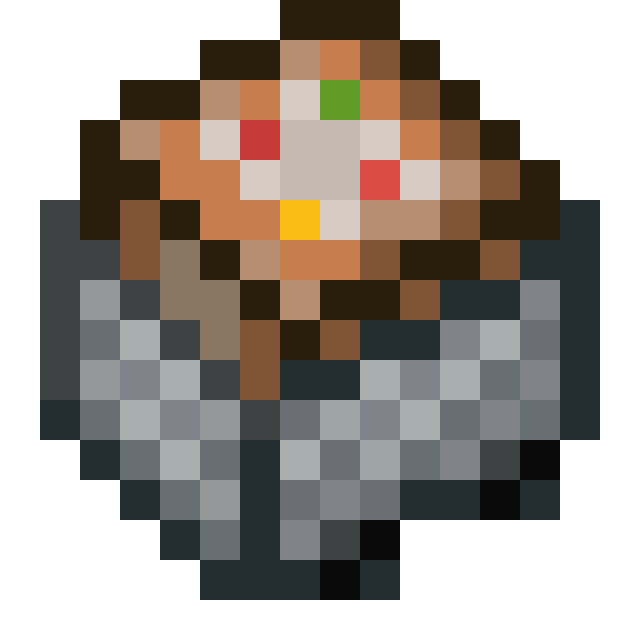
The Command Block Minecart sprite shows a gray iron cart carrying an angled, orange-brown command block inside. In the game, mapmakers and technical players use this special cart to trigger automated commands along rails. Looking closely at the top face of the block, you can see its light gray control panel detailed with tiny green, yellow, and red buttons.
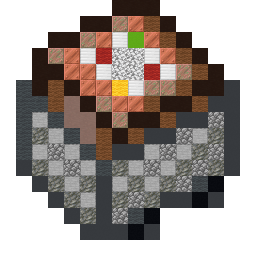
Fitting neatly onto a 16 wide by 16 tall grid, this template requires just 159 blocks from start to finish. While the original sprite contains 20 colours, our mixed set brings it to life using 16 block types like smooth stone, tuff, and copper block to separate the metallic cart body from the warm tones of the machine.
 More Item Pixel Art
 Cod16×16 · 96 blocks
 Comparator16×16 · 68 blocks
 Cod Spawn Egg16×16 · 136 blocks
 Cooked Beef16×16 · 105 blocks
 Cod Bucket16×16 · 152 blocks
 Cooked Chicken16×16 · 132 blocks
 Cocoa Beans16×16 · 55 blocks
 Cooked Cod16×16 · 85 blocks
 Coal16×16 · 124 blocks
 Cooked Mutton16×16 · 106 blocks
 Clay Ball16×16 · 96 blocks
 Cooked Porkchop16×16 · 102 blocks
