
Build the Dark Oak Sign in Minecraft with this 16x16 item pixel art template. Includes a step-by-step grid, exact material list, and schematic.
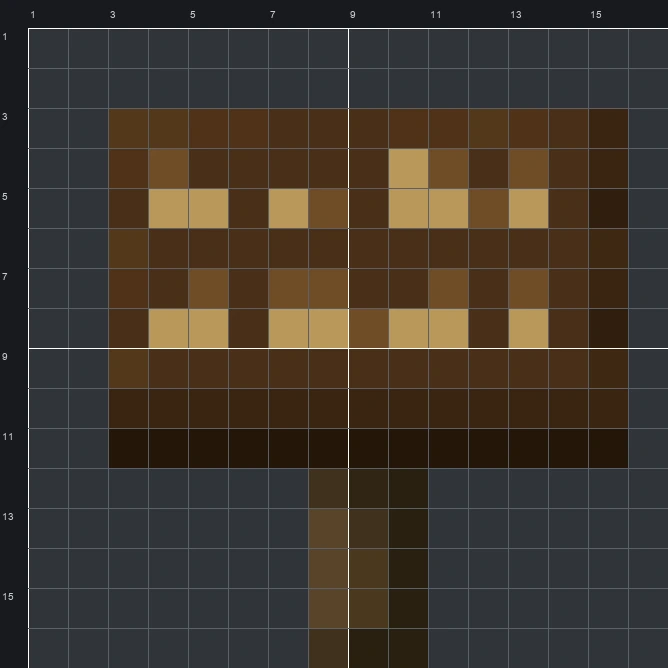
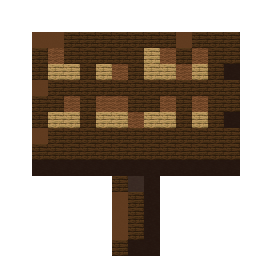
The schematic works with WorldEdit and Litematica on Java 1.21 and newer, built upright and one block thick. The grid image has numbered rows and columns for building by hand.
132 blocks · 6 block types
 Dark Oak Planks771 stacks + 13
 Black Terracotta21
 Oak Planks14
 Brown Wool11
 Brown Concrete8
 Gray Terracotta1
132 blocks · 3 block types
Brown Wool1071 stacks + 43 Black Wool22
 Gray Wool3
132 blocks · 4 block types
Brown Concrete981 stacks + 34 Black Concrete19
 Light Gray Concrete14
 Gray Concrete1
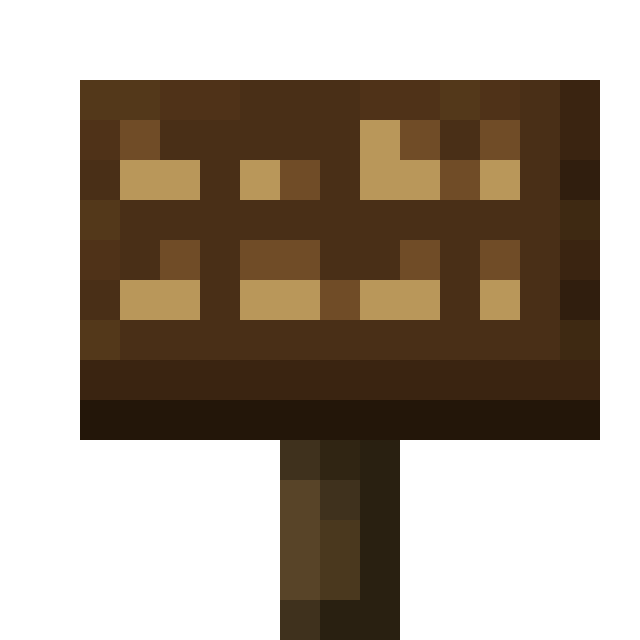
The Dark Oak Sign sprite shows a wide rectangular wooden board resting on a narrow 3-block-wide post. Across the rich dark brown face of the board, two rows of light tan and medium brown pixels suggest tiny written text, while deep shadows define the bottom lip and right edge. In Minecraft, players use this sign to label storage rooms, mark roads, and leave messages for friends.
Adapting the 14 colours of the original item sprite into a 16 by 16 layout makes a tidy project of 132 blocks using 6 block types in the mixed palette. Its compact footprint and warm wood tones make it a fitting emblem to hang outside a lumber shop, main storage hall, or town noticeboard.
 More Item Pixel Art
 Dark Oak Hanging Sign16×16 · 148 blocks
 Dark Oak Door16×16 · 140 blocks
 Desert Pyramid Map16×16 · 228 blocks
 Dark Oak Chest Boat16×16 · 174 blocks
 Desert Village Map16×16 · 228 blocks
 Dark Oak Boat16×16 · 165 blocks
 Diamond Axe16×16 · 60 blocks
 Danger Pottery Sherd16×16 · 157 blocks
 Diamond Boots16×16 · 88 blocks
 Cyan Harness16×16 · 163 blocks
 Diamond Chestplate16×16 · 138 blocks
 Cyan Dye16×16 · 149 blocks
