
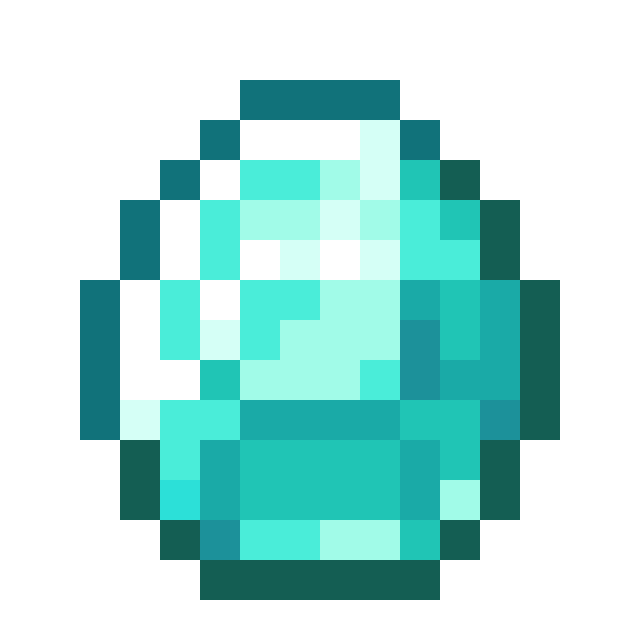
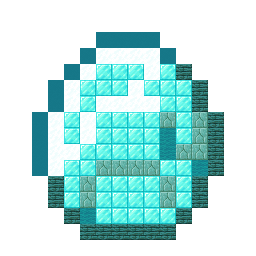
Build the Minecraft Diamond item sprite block by block. Our 16x16 pixel art guide includes a clear grid template, full material list, and schematic.
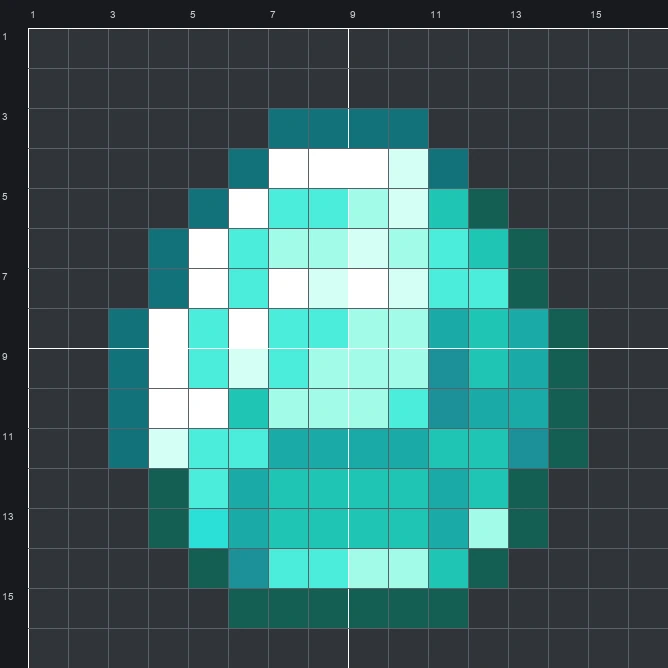
The schematic works with WorldEdit and Litematica on Java 1.21 and newer, built upright and one block thick. The grid image has numbered rows and columns for building by hand.
120 blocks · 6 block types
 Diamond Block51
 Snow Block20
 Warped Planks19
 Cyan Concrete13
 Prismarine Bricks13
 Cyan Wool4
120 blocks · 2 block types
Cyan Wool851 stacks + 21 White Wool35
120 blocks · 2 block types
Cyan Concrete661 stacks + 2 White Concrete54
The Diamond sprite shows one of the most recognizable crafting items in Minecraft. Shaped like a rounded, cut gemstone, the original artwork uses 10 shades of dark teal, bright aqua, and crisp white. A stepped dark outline wraps around the gem, while bright white highlights along the top and left edges make the flat facets look shiny and reflective.
Measuring 16 wide by 16 tall and using 120 blocks in total, this compact Item Pixel Art build fits well above a storage room, mine entrance, or trading hall. Using the mixed palette of 6 block types lets you capture the subtle shading of the inner facets without turning the project into a huge wall.
 More Item Pixel Art
 Diamond Sword16×16 · 84 blocks
 Disc Fragment 516×16 · 40 blocks
 Diamond Spear16×16 · 74 blocks
 Dolphin Spawn Egg16×16 · 177 blocks
 Diamond Shovel16×16 · 53 blocks
 Diamond Pickaxe16×16 · 68 blocks
 Donkey Spawn Egg16×16 · 204 blocks
 Diamond Nautilus Armor16×16 · 152 blocks
 Dragon Breath16×16 · 79 blocks
 Diamond Leggings16×16 · 104 blocks
 Dried Kelp16×16 · 150 blocks
 Diamond Horse Armor16×16 · 89 blocks
