
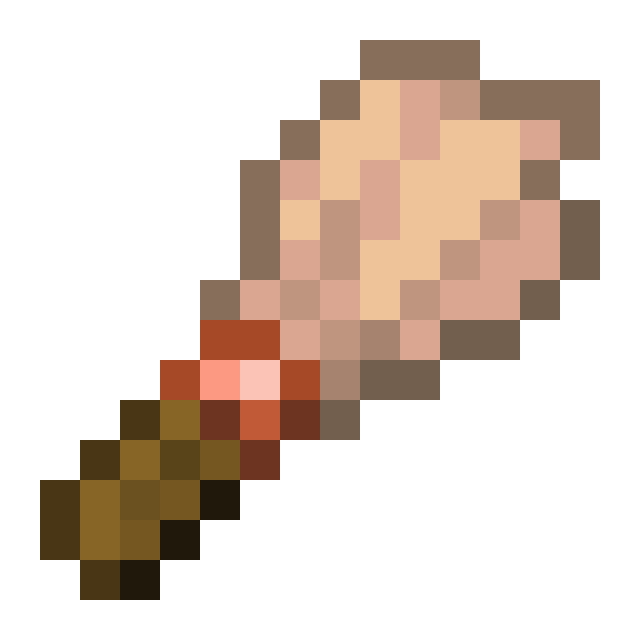
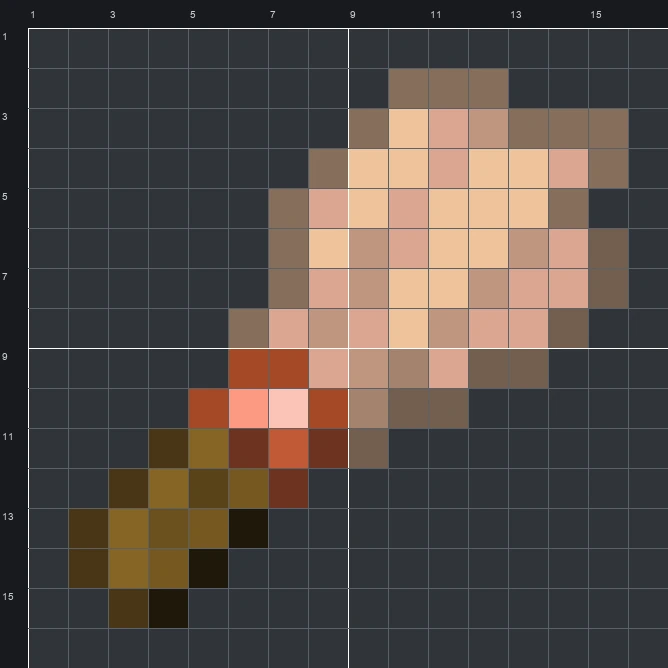
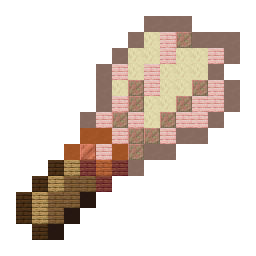
Build the Minecraft Brush item pixel art on a 16x16 grid using 90 blocks. Check out our block-by-block guide, full material list, and layout schematic.
The schematic works with WorldEdit and Litematica on Java 1.21 and newer, built upright and one block thick. The grid image has numbered rows and columns for building by hand.
90 blocks · 12 block types
 Light Gray Terracotta22
 Cherry Planks17
 Sandstone15
 Exposed Copper10
 Dark Oak Planks5
 Spruce Planks5
 Orange Terracotta4
 Oak Planks4
 Mangrove Planks3
 Black Terracotta3
 Copper Block1
 Acacia Planks1
90 blocks · 6 block types
 Light Gray Wool40
 Brown Wool25
 White Wool16
 Red Wool5
 Black Wool3
 Pink Wool1
90 blocks · 6 block types
 Light Gray Concrete32
 White Concrete32
 Brown Concrete17
 Red Concrete5
 Black Concrete3
 Pink Concrete1
The Brush is the tool players use to gently dust off suspicious sand and gravel for hidden artifacts. Its diagonal sprite features a short dark brown wooden handle at the bottom-left, a bright metallic copper band in the middle, and a wide, frayed feather tip in soft cream, peach, and muted brown tones at the top-right.
Measuring 16 wide by 16 tall and needing 90 blocks in total, this template is a compact project you can finish quickly in survival mode. While the original sprite has 17 colours, our mixed palette narrows that down to 12 accessible block types, making it a neat decorative sign for a museum build, dig site, or tool storage room.
 More Item Pixel Art
 Brown Harness16×16 · 163 blocks
 Bucket16×16 · 146 blocks
 Brown Egg16×16 · 90 blocks
 Bundle16×16 · 131 blocks
 Brown Dye16×16 · 150 blocks
 Buried Ancient City Map16×16 · 228 blocks
 Brown Cushion16×16 · 104 blocks
 Buried Mineshaft Map16×16 · 228 blocks
 Brown Candle16×16 · 91 blocks
 Buried Treasure Map16×16 · 223 blocks
 Brown Bundle16×16 · 131 blocks
 Buried Trial Chambers Map16×16 · 228 blocks
