

Build the Copper Door item sprite in Minecraft with our 16x16 pixel art template. Includes a step-by-step grid, material list, and schematic.
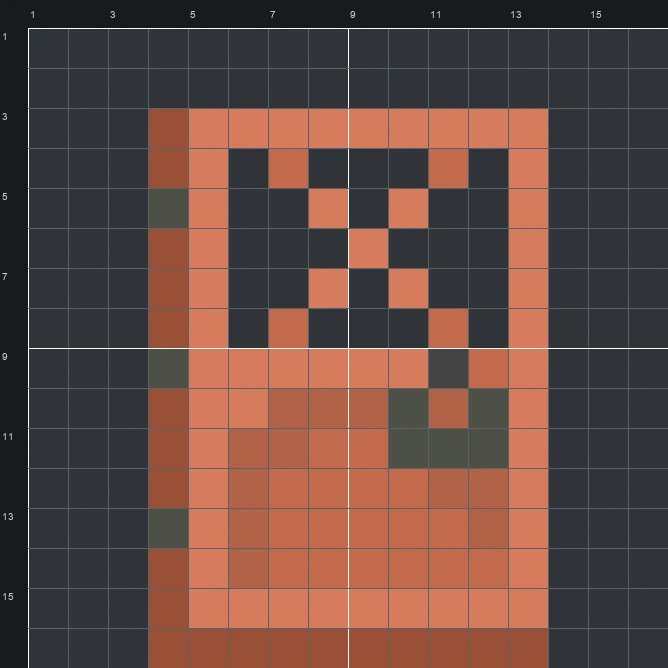
The schematic works with WorldEdit and Litematica on Java 1.21 and newer, built upright and one block thick. The grid image has numbered rows and columns for building by hand.
114 blocks · 3 block types
 Copper Block851 stacks + 21
 Red Terracotta20
 Polished Deepslate9
114 blocks · 3 block types
 Red Wool731 stacks + 9
 Brown Wool32
 Gray Wool9
114 blocks · 2 block types
 Red Concrete1051 stacks + 41
 Gray Concrete9
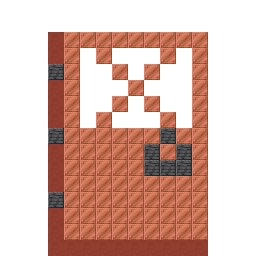
The Copper Door item sprite shows the sturdy metallic entryway players craft for industrial bases and underground halls. Drawn with 6 warm orange, rust, and dark grey shades in the original sprite, the icon features an X-shaped lattice window in the upper half, a recessed lower panel, three side hinges, and a chunky latch on the right.
Fitting inside a compact 16 wide by 16 tall grid, this Item Pixel Art build requires 114 blocks while leaving the window cutouts open to the background. Since the mixed set relies on just 3 common block types, you can gather the supplies quickly and mount the finished door above a workshop, smeltery, or storage entrance.
 More Item Pixel Art
 Copper Chestplate16×16 · 138 blocks
 Copper Golem Spawn Egg16×16 · 108 blocks
 Copper Chain16×16 · 29 blocks
 Copper Helmet16×16 · 78 blocks
 Copper Boots16×16 · 88 blocks
 Copper Hoe16×16 · 51 blocks
 Copper Axe16×16 · 60 blocks
 Copper Horse Armor16×16 · 89 blocks
 Cookie16×16 · 140 blocks
 Copper Ingot16×16 · 135 blocks
 Cooked Salmon16×16 · 90 blocks
 Copper Lantern16×16 · 56 blocks
