
Build the Copper Sword in Minecraft with our 16x16 pixel art template. Includes a clear block-by-block grid, full material list, and schematic.
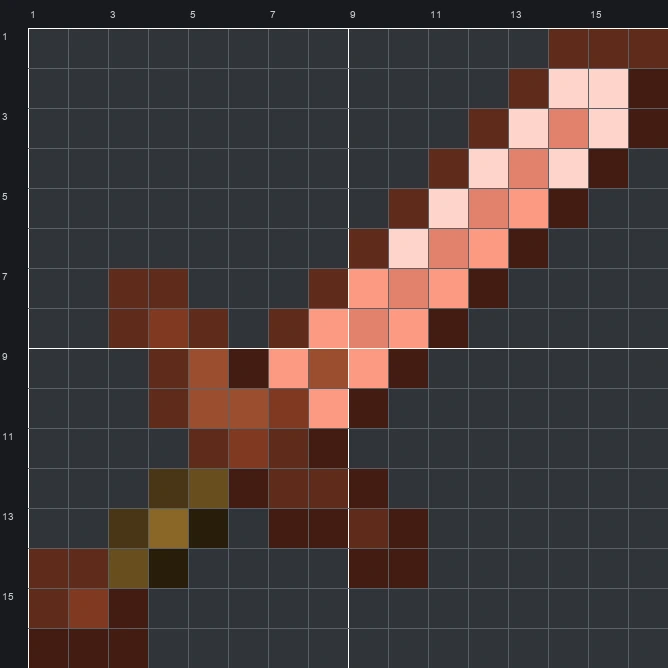
The schematic works with WorldEdit and Litematica on Java 1.21 and newer, built upright and one block thick. The grid image has numbered rows and columns for building by hand.
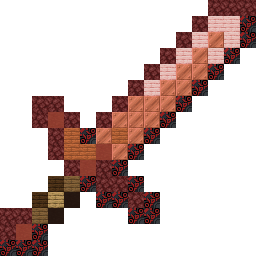
84 blocks · 10 block types
 Netherrack24
 Black Glazed Terracotta22
 Copper Block15
 Cherry Planks8
 Red Terracotta4
 Acacia Planks4
 Dark Oak Planks2
 Spruce Planks2
 Black Terracotta2
 Oak Planks1
84 blocks · 4 block types
 Brown Wool59
 Pink Wool15
 White Wool8
 Black Wool2
84 blocks · 5 block types
 Brown Concrete51
 Pink Concrete15
 White Concrete8
 Red Concrete8
 Black Concrete2
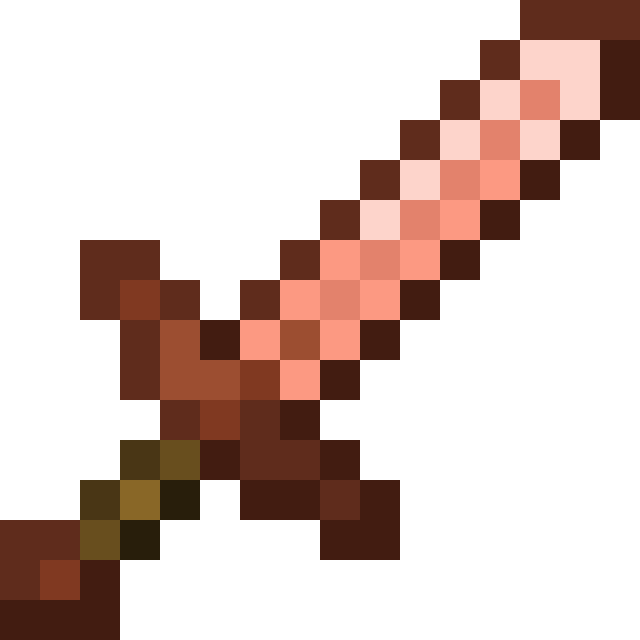
The Copper Sword sprite features a classic diagonal weapon design pointing toward the top-right corner. It combines a warm, shiny salmon-orange and pale pink blade with a rich rust-brown crossguard, an olive-toned wooden handle, and a matching copper pommel at the bottom-left. Dark brown pixels outline the entire shape to help the metallic shine stand out.
With a compact 16 wide by 16 tall grid requiring 84 blocks in total, this Item Pixel Art design is quick to gather materials for and easy to fit into survival worlds. The warm metallic shading across its 11 original sprite colours makes it a fitting wall decoration for a blacksmith shop, storage room, or copper mine entrance.
 More Item Pixel Art
 Copper Spear16×16 · 74 blocks
 Copper Shovel16×16 · 53 blocks
 Copper Pickaxe16×16 · 68 blocks
 Cow Spawn Egg16×16 · 198 blocks
 Copper Nugget16×16 · 33 blocks
 Creaking Spawn Egg16×16 · 192 blocks
 Copper Nautilus Armor16×16 · 152 blocks
 Copper Leggings16×16 · 104 blocks
 Creeper Banner Pattern16×16 · 164 blocks
 Copper Lantern16×16 · 56 blocks
 Creeper Spawn Egg16×16 · 134 blocks
 Copper Ingot16×16 · 135 blocks
