Build the Alban Painting in Minecraft with our pixel art guide. Includes a 16x16 block grid, full material list, and step-by-step schematic.
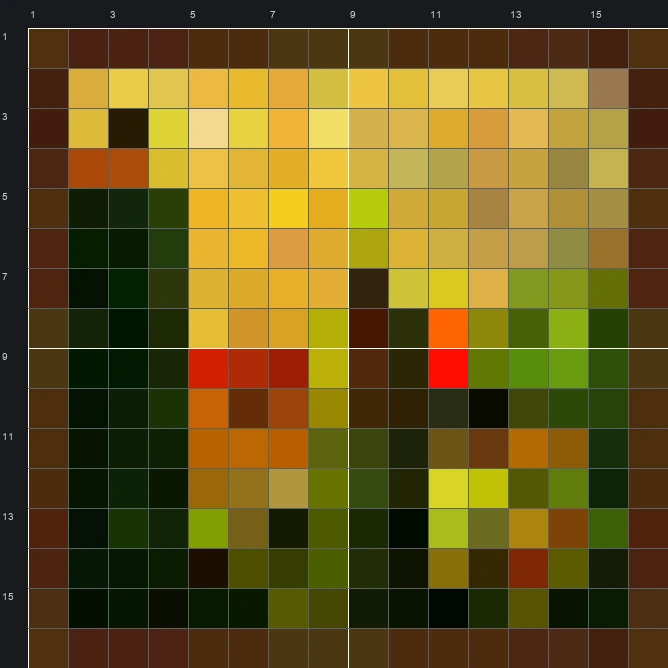
The schematic works with WorldEdit and Litematica on Java 1.21 and newer, built upright and one block thick. The grid image has numbered rows and columns for building by hand.
256 blocks · 29 block types
 Dark Oak Planks44
 Dried Kelp Block35
 Gold Block26
 Brown Concrete22
 Bamboo Planks20
 Coal Block17
 Green Concrete13
 Green Wool12
 Yellow Concrete11
 Hay Block8
 Red Sandstone7
 Yellow Terracotta6
 Yellow Wool4
 Lime Concrete4
 Redstone Block4
 Oak Planks3
 Lime Wool3
 Black Terracotta2
 Lime Terracotta2
 Orange Concrete2
 Orange Terracotta2
 Spruce Planks2
 Honeycomb Block1
 Jungle Planks1
 End Stone1
 Green Terracotta1
 Red Nether Bricks1
 Brown Wool1
 Red Concrete1
256 blocks · 8 block types
Brown Wool741 stacks + 10Yellow Wool651 stacks + 1 Black Wool50Green Wool43
 Orange Wool8
 Red Wool6Lime Wool6
 Gray Wool4
256 blocks · 10 block types
Brown Concrete741 stacks + 10Yellow Concrete701 stacks + 6 Black Concrete42Green Concrete42Orange Concrete10Lime Concrete10Red Concrete4
 Gray Concrete2
 Light Gray Concrete1
 White Concrete1
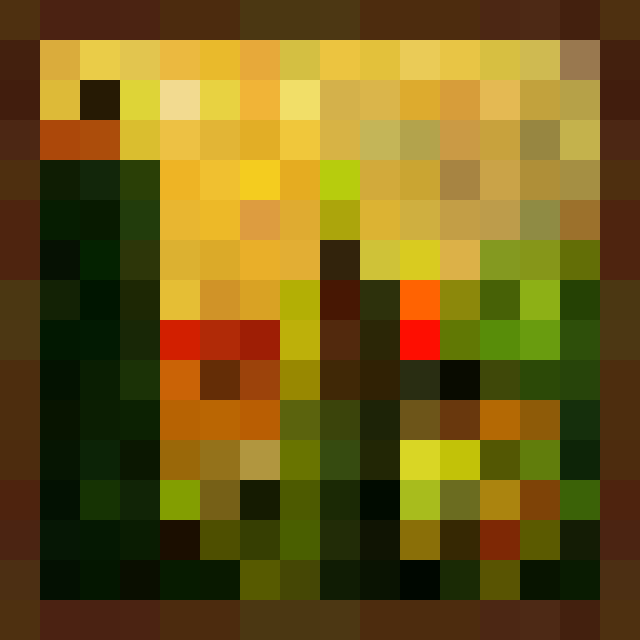
The Alban Painting is a classic single-block artwork from the group of standard Minecraft Paintings. Looking closely at the original sprite, it shows a surreal desert landscape framed by dark brown wood. A bright yellow sky takes up the top half, while a dark green column rises on the left side. Near the center, a tiny figure wearing a red fez hat stands beside a small house and patches of green and brown terrain.
Despite having 213 distinct colours in the original sprite, this 16 wide by 16 tall grid translates nicely into a 256-block pixel art project. The compact square size makes it quick to put together in survival or creative mode, and the mix of warm gold tones against deep forest greens creates an interesting visual point for a base wall or an outdoor art gallery.
 More Minecraft Paintings
 Aztec Painting16×16 · 256 blocks
 Aztec 2 Painting16×16 · 256 blocks
 Backyard Painting48×64 · 3,072 blocks
 Baroque Painting32×32 · 1,024 blocks
 Bomb Painting16×16 · 256 blocks
 Bouquet Painting48×48 · 2,304 blocks
 Burning Skull Painting64×64 · 4,096 blocks
 Bust Painting32×32 · 1,024 blocks
 Cavebird Painting48×48 · 2,304 blocks
 Changing Painting64×32 · 2,048 blocks
 Cotan Painting48×48 · 2,304 blocks
 Courbet Painting32×16 · 512 blocks