

Build the classic Minecraft Apple item pixel art on a 16x16 grid. Includes a clear block grid, material list, and schematic for your world.
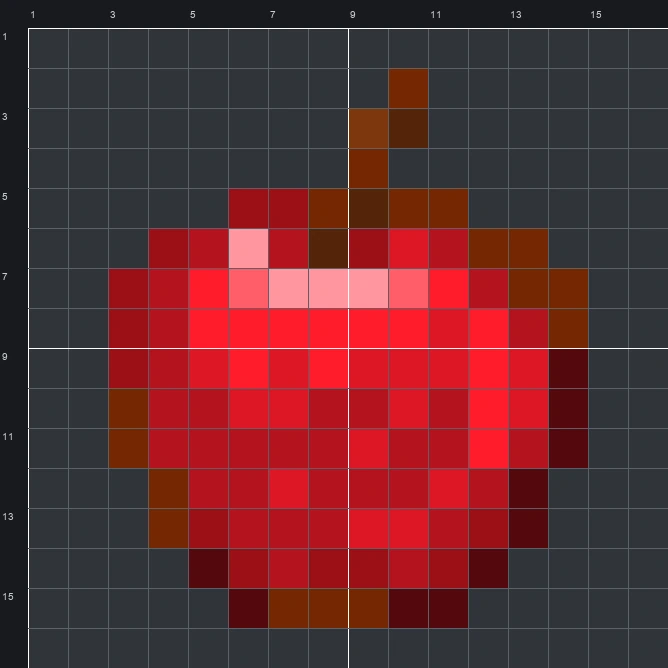
The schematic works with WorldEdit and Litematica on Java 1.21 and newer, built upright and one block thick. The grid image has numbered rows and columns for building by hand.
114 blocks · 7 block types
 Redstone Block641 stacks + 0
 Red Terracotta17
 Red Wool15
 Red Nether Bricks10
 Pink Wool4
 Brown Concrete3
 Orange Terracotta1
114 blocks · 3 block types
Red Wool961 stacks + 32 Brown Wool14Pink Wool4
114 blocks · 4 block types
 Red Concrete741 stacks + 10
 Orange Concrete31
 Pink Concrete6Brown Concrete3
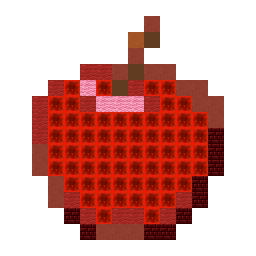
The Apple is a classic food item in Minecraft that drops from tree leaves to restore hunger or craft golden upgrades. Looking closely at the original 10-colour sprite, it shows a plump red fruit with a short brown stem curving slightly to the right, deep maroon and brown shading around the outer rim, and a bright pink shine across the upper surface.
At 16 blocks wide by 16 blocks tall and using 114 blocks in total, this Item Pixel Art template is compact enough to finish in one short session. Its bold red shape makes a clear landmark or hanging sign for a survival farm, food shop, or storage hall.
 More Item Pixel Art
 Angler Pottery Sherd16×16 · 157 blocks
 Archer Pottery Sherd16×16 · 157 blocks
 Amethyst Shard16×16 · 89 blocks
 Armadillo Scute16×16 · 60 blocks
 Allay Spawn Egg16×16 · 148 blocks
 Armadillo Spawn Egg16×16 · 124 blocks
 Armor Stand16×16 · 90 blocks
 Acacia Sign16×16 · 132 blocks
 Arms Up Pottery Sherd16×16 · 157 blocks
 Acacia Hanging Sign16×16 · 148 blocks
 Arrow16×16 · 38 blocks
 Acacia Door16×16 · 110 blocks
