

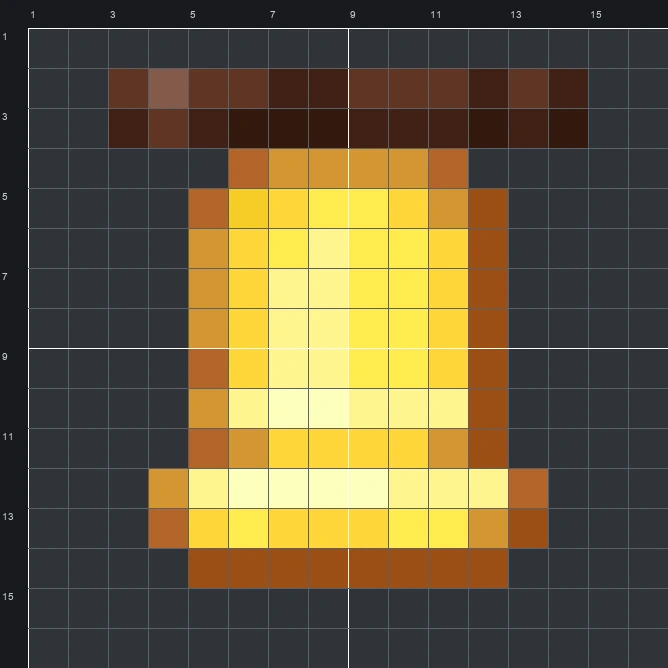
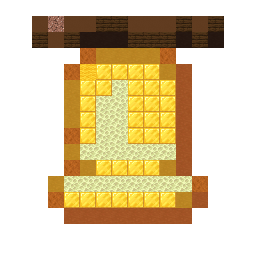
Build the Minecraft Bell item pixel art on a 16x16 grid using 114 blocks. Follow our block-by-block grid, full material list, and schematic.
The schematic works with WorldEdit and Litematica on Java 1.21 and newer, built upright and one block thick. The grid image has numbered rows and columns for building by hand.
114 blocks · 10 block types
 Gold Block32
 End Stone21
 Orange Terracotta16
 Yellow Terracotta13
 Dark Oak Planks10
 Brown Concrete8
 Red Sandstone7
 Black Terracotta5
 Granite1
 Yellow Wool1
114 blocks · 5 block types
Yellow Wool61 Brown Wool26
 Red Wool16
 White Wool6
 Black Wool5
114 blocks · 5 block types
 Yellow Concrete61Brown Concrete24
 Red Concrete16
 Orange Concrete7
 White Concrete6
In Minecraft, the Bell sits at the heart of a village, ringing out to warn villagers of danger or call them indoors at dusk. The original item sprite captures a stout golden bell hanging from a dark wooden beam across the top, using 12 colours to render a bright pale shine on the left, warm gold through the middle, and deep amber shadows along the right edge and lower rim.
Fitting neatly onto a 16 wide by 16 tall grid, this Item Pixel Art design uses 114 blocks and works well as an emblem on a town hall, clock tower, or trading post. The mixed palette combines 10 block types—led by 32 gold blocks, 21 end stone, and 16 orange terracotta—to give the flat wall art a curved metallic look without needing a massive resource grind.
 More Item Pixel Art
 Beetroot16×16 · 69 blocks
 Birch Boat16×16 · 165 blocks
 Beetroot Soup16×16 · 74 blocks
 Birch Chest Boat16×16 · 174 blocks
 Beetroot Seeds16×16 · 66 blocks
 Birch Door16×16 · 140 blocks
 Beef16×16 · 108 blocks
 Birch Hanging Sign16×16 · 148 blocks
 Bee Spawn Egg16×16 · 106 blocks
 Birch Sign16×16 · 132 blocks
 Bat Spawn Egg16×16 · 132 blocks
 Black Bundle16×16 · 131 blocks
