
Build the Birch Hanging Sign in Minecraft with our 16x16 pixel art template. Includes a step-by-step grid, full material list, and downloadable schematic.
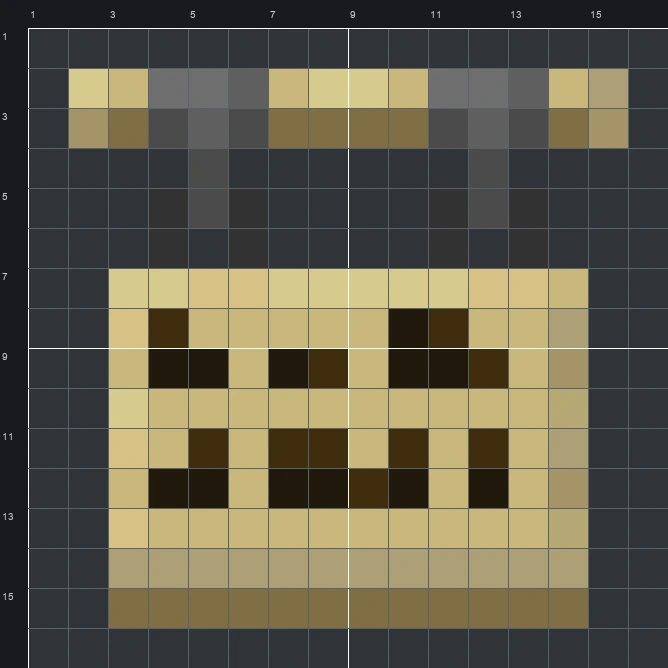
The schematic works with WorldEdit and Litematica on Java 1.21 and newer, built upright and one block thick. The grid image has numbered rows and columns for building by hand.
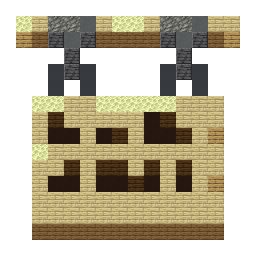
148 blocks · 10 block types
 Birch Planks691 stacks + 5
 Spruce Planks18
 Black Terracotta12
 End Stone11
 Dark Oak Planks10
 Polished Deepslate8
 Gray Concrete8
 Tuff4
 Cyan Terracotta4
 Oak Planks4
148 blocks · 5 block types
 Light Gray Wool771 stacks + 13
 Brown Wool28
 Gray Wool20
 Black Wool12
 White Wool11
148 blocks · 5 block types
 Light Gray Concrete921 stacks + 28
 White Concrete18Gray Concrete16
 Black Concrete12
 Brown Concrete10
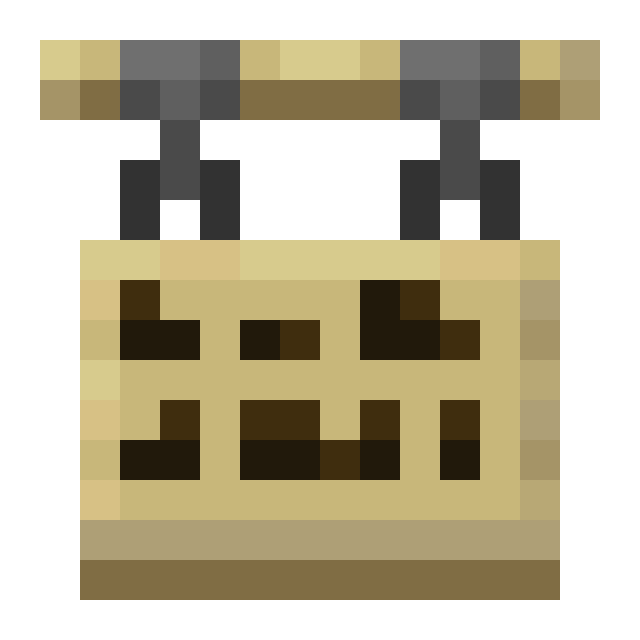
The Birch Hanging Sign sprite shows a pale cream wooden board suspended from a wider top bar by two dark gray metal chains. Across the front of the light wood, two rows of dark brown blocks imitate handwritten sign text, while warm tan shading along the bottom and right edges gives the flat item a sense of thickness. In Minecraft, players craft this item to hang shop names, street directions, and room labels beneath beams or fences.
Because the whole design fits into a 16 wide by 16 tall grid and takes 148 blocks, it makes a quick, practical build for survival or creative worlds. Using 10 block types in the mixed palette captures the 13 colours of the original sprite nicely, making it a great giant emblem for a lumber storage building, a town hall, or a carpentry shop.
 More Item Pixel Art
 Birch Door16×16 · 140 blocks
 Birch Sign16×16 · 132 blocks
 Birch Chest Boat16×16 · 174 blocks
 Black Bundle16×16 · 131 blocks
 Birch Boat16×16 · 165 blocks
 Black Candle16×16 · 91 blocks
 Bell16×16 · 114 blocks
 Black Cushion16×16 · 104 blocks
 Beetroot16×16 · 69 blocks
 Black Dye16×16 · 129 blocks
 Beetroot Soup16×16 · 74 blocks
 Black Harness16×16 · 163 blocks
